Install CachyOS
- Select Language, Timezone and Keyboard Layout.
- Select default Limine bootloader unless you know what that is.
- Select disk from top drop down to install. Erase disk. Select disk encryption if you are privacy pilled.
- Select a desktop environment. I suggest Cinnamon because its
X11making it the more compatible with all 3D software, its what I use curretnly and looks familiar to Windows users. - Package Selection
- Printer & HP Support
- Under Gnome Apps,
loupe,gnome-disk-utility,gnome-calculatorandfile-roller - Under MATE,
celluloid
- Create Username/Password
- Install and reboot.
Initial Start
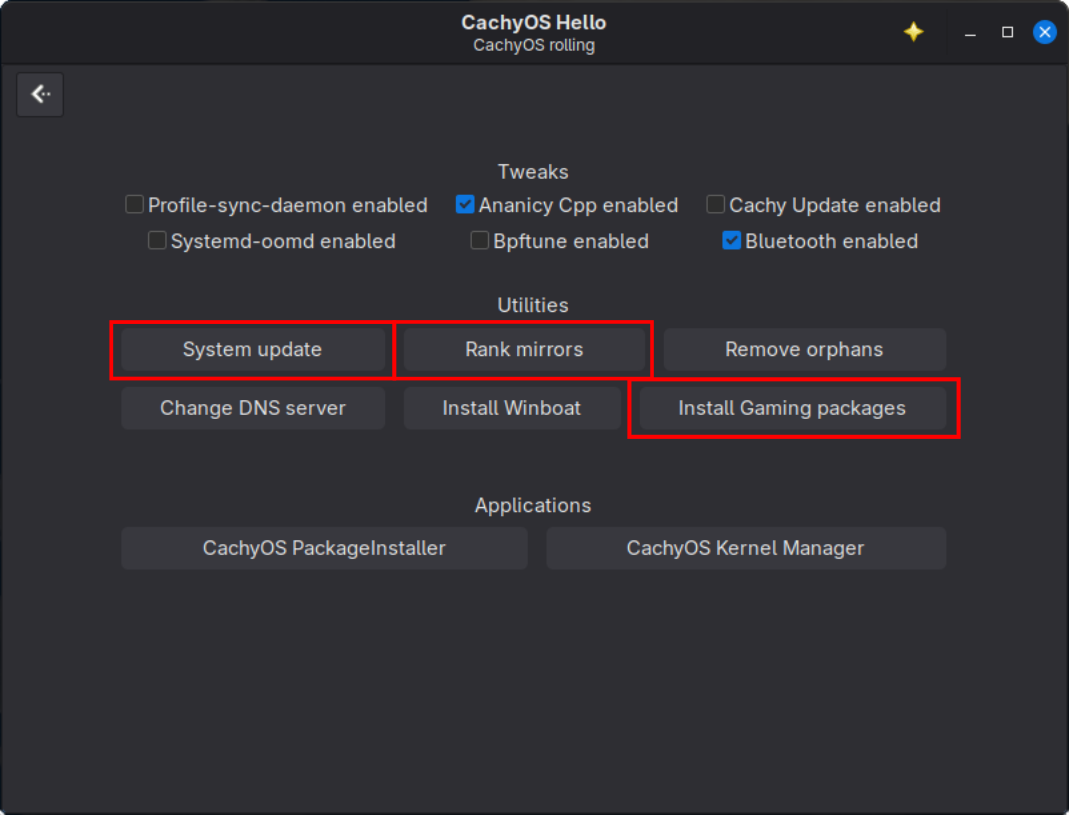
Update System
- Open
Hello CachyOSfrom the desktop menu. - Select
Apps & Tweaks - Select
System Update(or) - Open terminal
CTRL + ALT + T sudo pacman -Syu- You may need to reboot after this update. (It will tell you with a popup notification if you will need to.)
Rank Mirrors
- Open
Hello CachyOSfrom the desktop menu. - Select
Apps & Tweaks - Select
Rank Mirrorsoption.
Install Gaming Packages
This installs Steam and additional dependencies to run graphically intensive applications beyond the graphics drivers.
3. Open Hello CachyOS from the desktop menu.
4. Select Apps & Tweaks
5. Select Install Gaming Packages
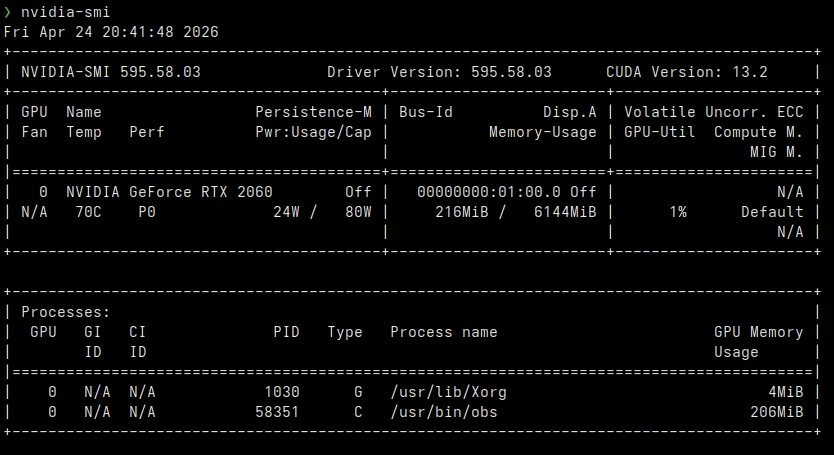
Verify NVIDIA Drivers are Working Properly
Cachy should have detected your GPU and the proper NVIDIA drivers should have been automatically installed.
nvidia-smi
You should see something like the example below.
Install Flatpak
Flatpak sandboxes apps for easier version management and better security.
sudo pacman -S flatpak flatseal
Install Software Specific Packages
sudo pacman -S fuse2Required to run Appimages and for DaVinci Resolvesudo pacman -S nemo-filerollerAllows you to extract zip/compressed folders by right clicking items in the file browser.
Firewall (Optional - Firewall should be running by default.)
- Open terminal
CTRL + ALT + T(you can also just search for it in the start menu) ufw enableto verify firewall is running.
Important Cinnamon Settings
Window Settings (Important for Blender)
- Menu -> System Settings -> Windows -> Behavior -> Special key to move and resize windows -> Change from ALT to
SUPER(This prevents cinnamon from interfering with ALT based shortcuts in Blender like loop selection, etc.)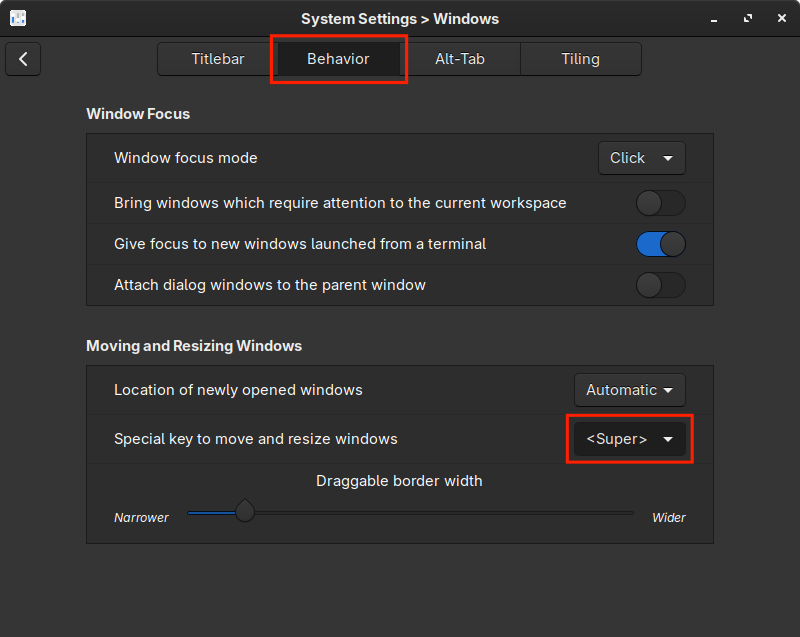
- Menu -> System Settings -> Windows -> Tiling ->
EnableMaximize instead of tile on top edge. (Quality of life/muscle memory)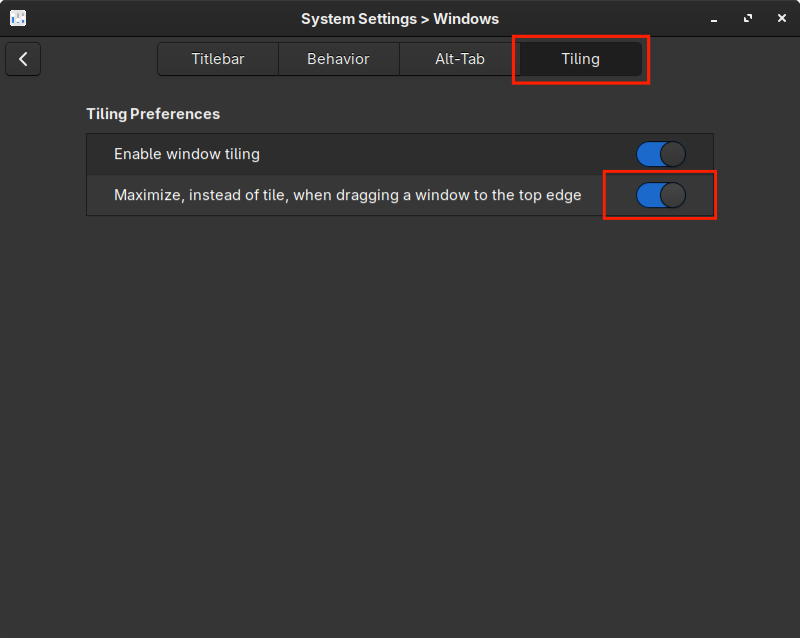
Dark Mode
- Menu -> System Settings (right click to pin it to panel) -> Theme -> Dark (or, if simple not working), -> Advanced -> Adwaita-Dark, Papirus-Dark
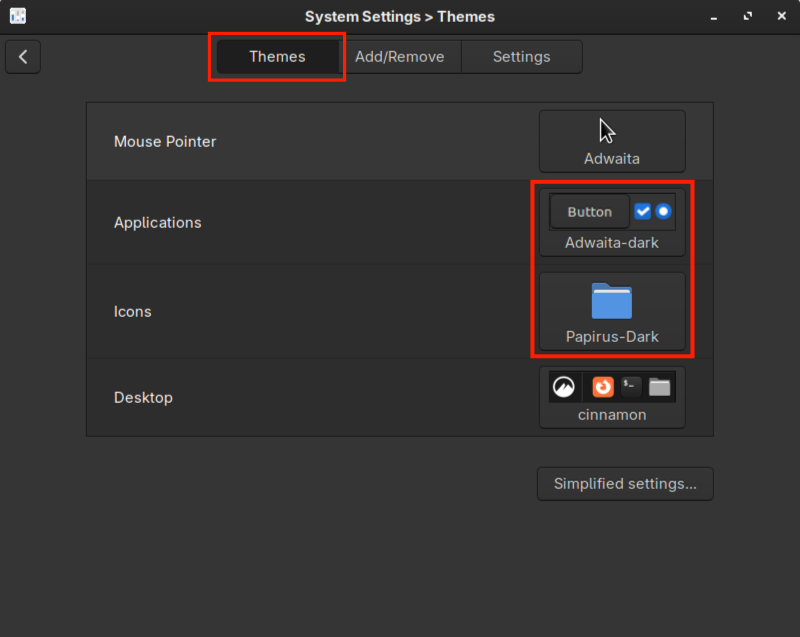
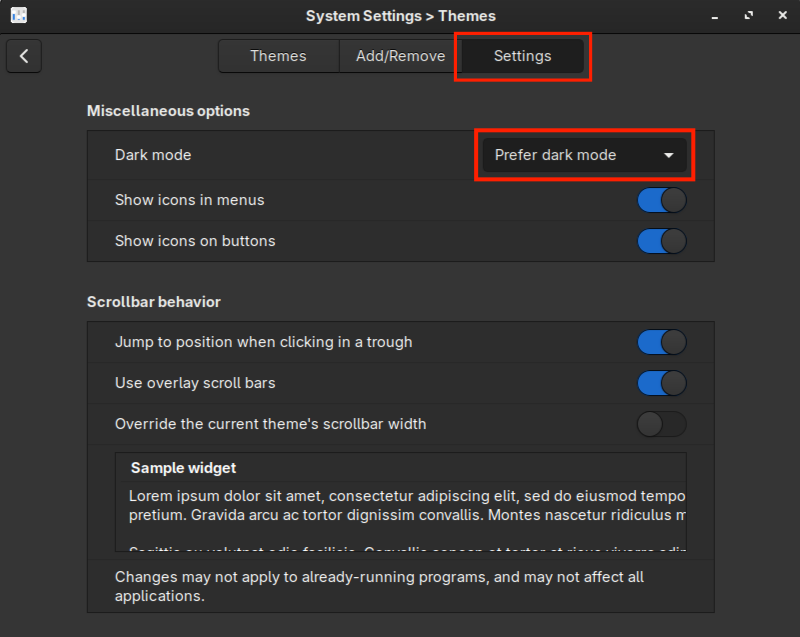
- Theme -> Settings -> Prefer Dark Mode
- In main Settings -> Background -> Choose something you like placed in your pictures folder.
- If you would like to polish Cinnamon a bit more, see CachyOS - 1.1 Optional Cinnamon Mint-Y Appearance