Install Houdini Launcher
- Download Houdini launcher from www.sidefx.com/download
- See initial instructions on www.sidefx.com/docs/houdini/licensing/install_launcher.html
- Open terminal
cd Downloadschmod a+x install_houdini_launcher.sh; ./install_houdini_launcher.sh
- Follow prompts until done.
Install Houdini
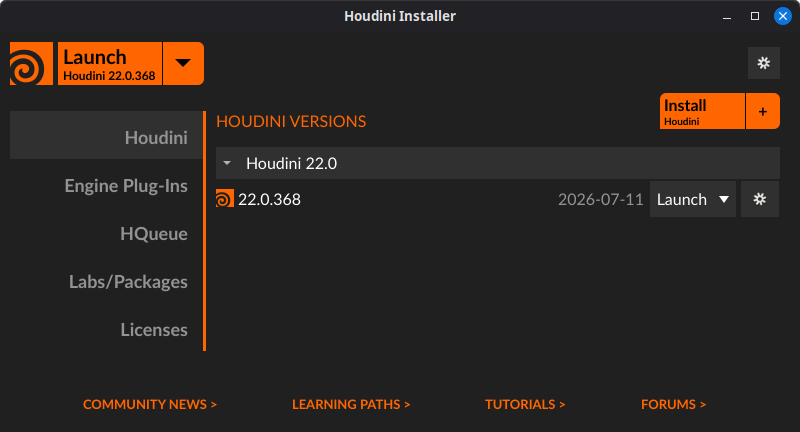
cd /opt/sidefx/launcher/bin/./houdini_launcher- Then install your desired version of Houdini via launcher. Be sure to leave the desktop shortcut checked.
- Once finished, be sure to connect to SideFX online license server to get licenses as needed. Labs as well.
- Once it’s installed, you will need to initialize the environment for Houdini in the next step.
cd /opt/hfs22.0- Version/folder name can be found by:
ls /opt/
source houdini_setupIt will sayHoudini environment is initializedhoudiniIt should now load. In your start menu/app menu, you can now pin Houdini or the launcher to your panel.
- If you haven’t activated a license yet, at this point it will give you the option to use Houdini Apprentice or register your license/sign-in.
Troubleshooting
Houdini won’t Start/Crashes after Bug Report Prompt
- On hybrid systems where there is an integrated graphics and a discrete graphics card you will need to force OpenGL and Vulkan to run on your discrete GPU in the terminal.
__NV_PRIME_RENDER_OFFLOAD=1 __GLX_VENDOR_LIBRARY_NAME=nvidia KARMA_XPU_DEVICES=optix houdini
- If you want to use the Houdini desktop file/icon to open Houdini in this situation, you will need to add the environment variable above to your desktop file.
- It will often need the env var on the
Exec=line and include the full file path to the executable. Often you also have to remove the quotations from the path. It should look like this example: - Houdini Launcher.desktop
Exec=env __NV_PRIME_RENDER_OFFLOAD=1 __GLX_VENDOR_LIBRARY_NAME=nvidia KARMA_XPU_DEVICES=optix /opt/sidefx/launcher/bin/houdini_launcher
- It will often need the env var on the
- Open and have fun in Houdini.
Houdini won’t start/Licensing issue on Fedora/RHEL
If licensing is not found or shows error max entries which is common to RHEL related distros, this command should fix it. (I only had this issue with Fedora and Rocky/AlmaLinux.)
sudo setsebool -P nis_enabled 1
See Fedora Cinnamon - 1.0 Installation and Setup to set SELinux to permissive.
Houdini on Wayland - Reducing Crashes, UI Bugs, etc
If you are on a Wayland based system (Gnome, KDE, MangoWM, Cosmic, Hyprland, Niri) you will need to install a version of Houdini that is qt5 and better supports Wayland, which is still only version 21 and back. Houdini 22 won’t support Wayland for a while.
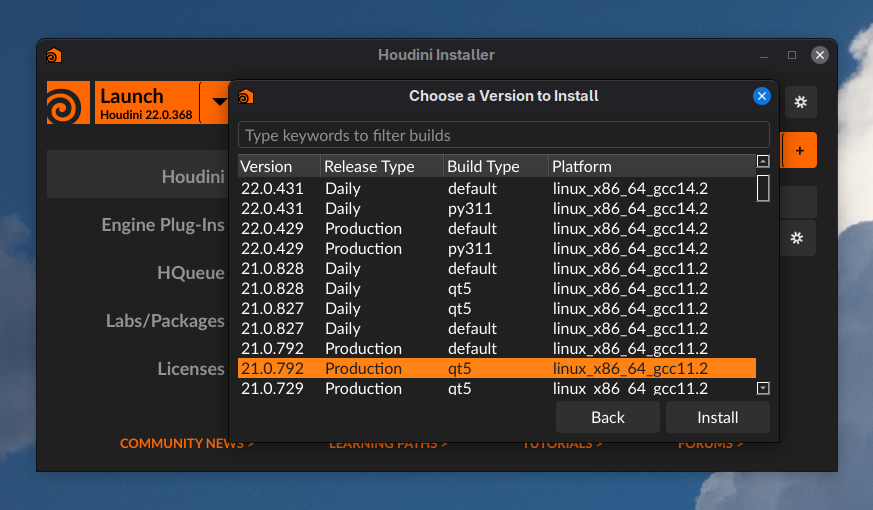
Once you have a Wayland compatible version installed, add QT_QPA_PLATFORM=xcb to its environment variables.
Exec=env QT_QPA_PLATFORM=xcb __NV_PRIME_RENDER_OFFLOAD=1 __GLX_VENDOR_LIBRARY_NAME=nvidia KARMA_XPU_DEVICES=optix /opt/sidefx/launcher/bin/houdini
SideFX Labs Info
https://www.sidefx.com/community/sidefx-labs-april-update/?mc_cid=b062071184